OBJECTIVE
Designing a mobile application that enables users to browse and manage data stored on Seagate's SSD touch hard drives.
MY ROLE
Design lead at Mutual Mobile for UX and UI
Cross-functional collaboration with development and product management teams
Collaboration with product team at Seagate
CLIENT
Seagate Technologies
AVAILABLE ON PLAYSTORE
BACKGROUND
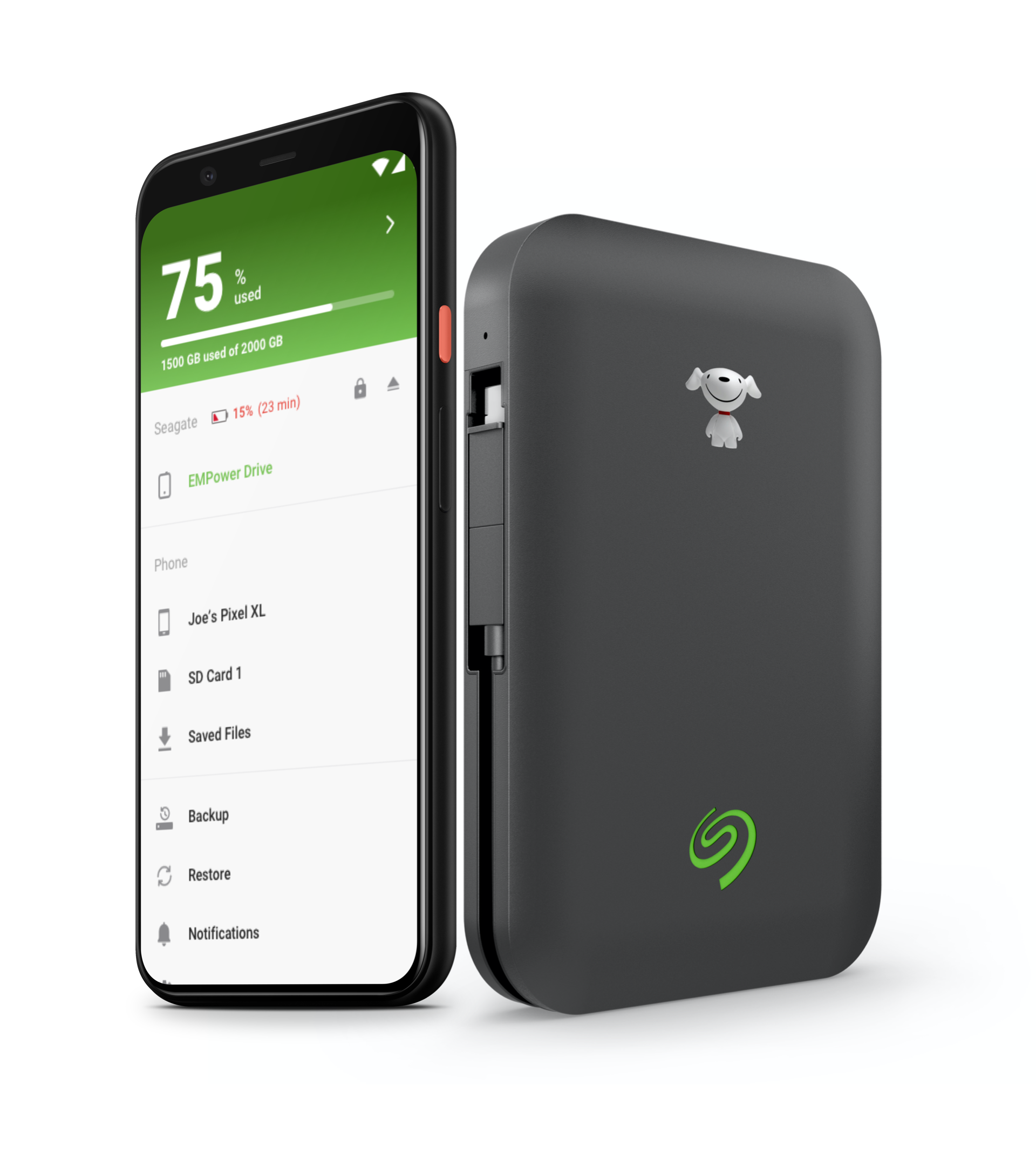
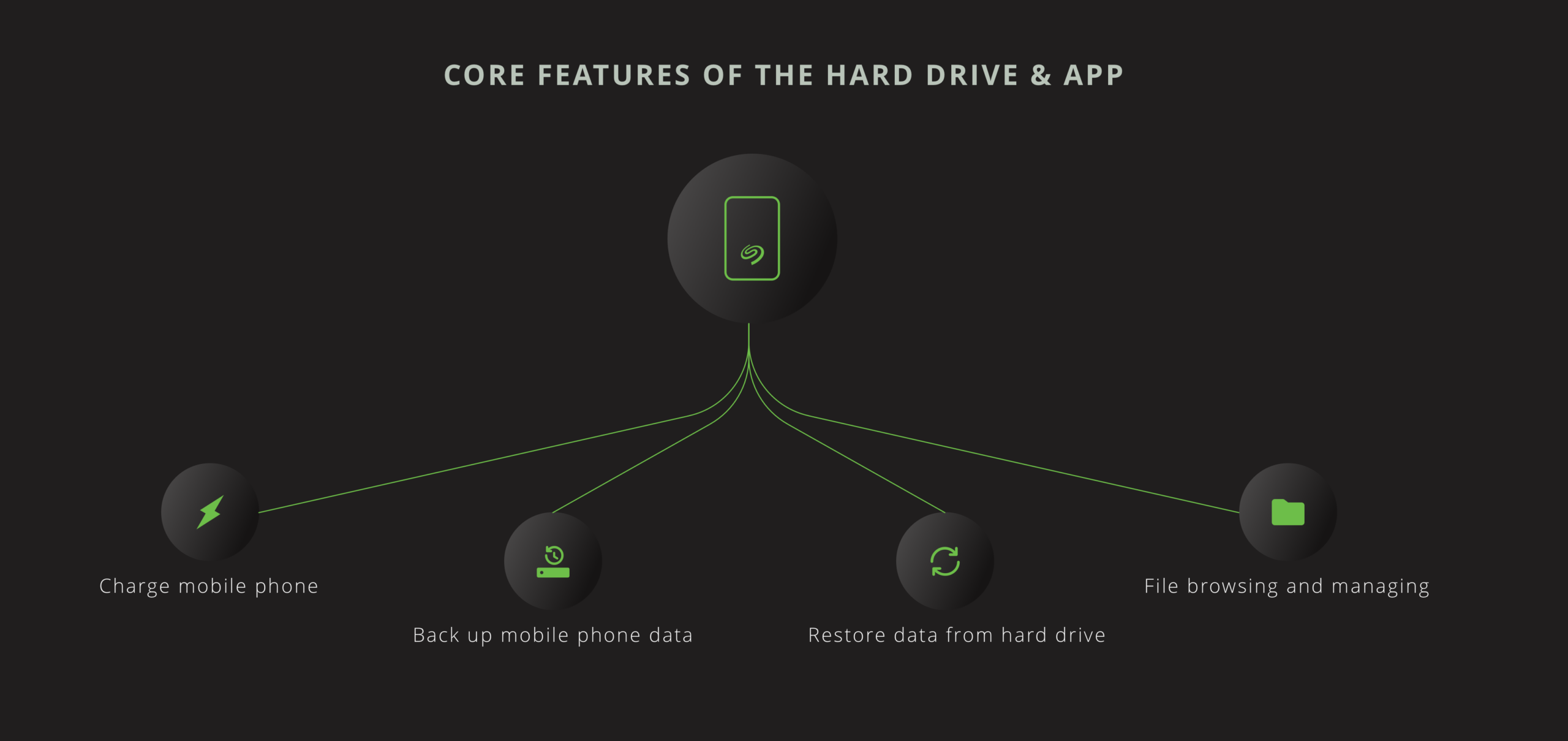
While working with Mutual Mobile, I had the opportunity to lead the design efforts for the UI and UX of the Android and iOS apps for Seagate Technology. The core features of these apps are to allow users to manage files and folders on their hard drives using only their mobile phones (no computer needed).
THE DESIGN PROCESS
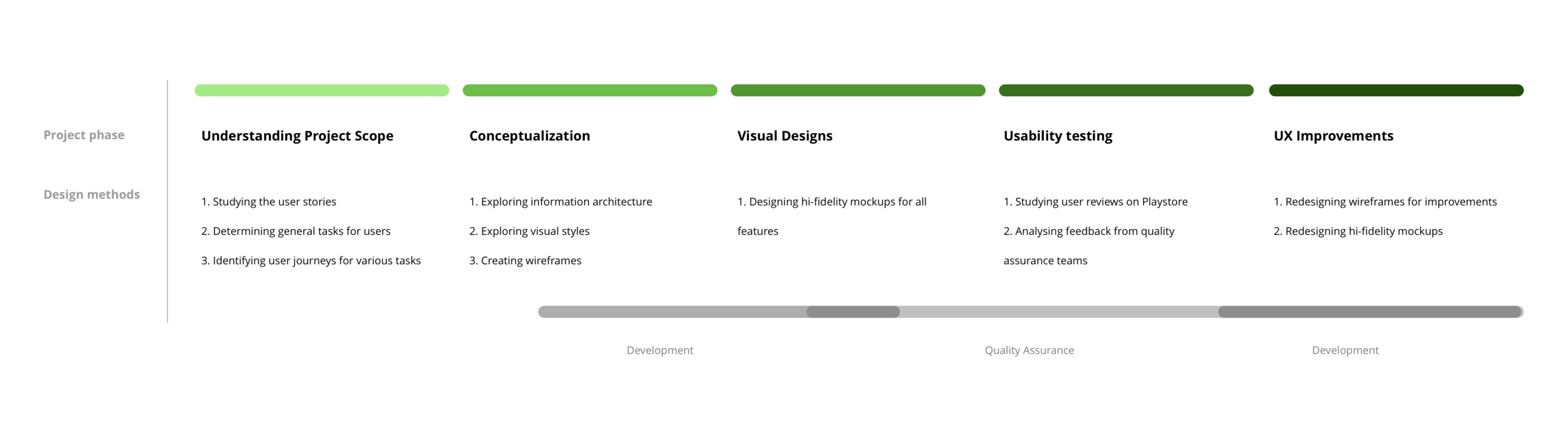
UNDERSTANDING PROJECT SCOPE
I spent some time studying the user stories provided by Seagate and understanding all the features of the hard drive. The goal was to facilitate efficient browsing of large amounts of data on smartphones
GENERAL TASKS
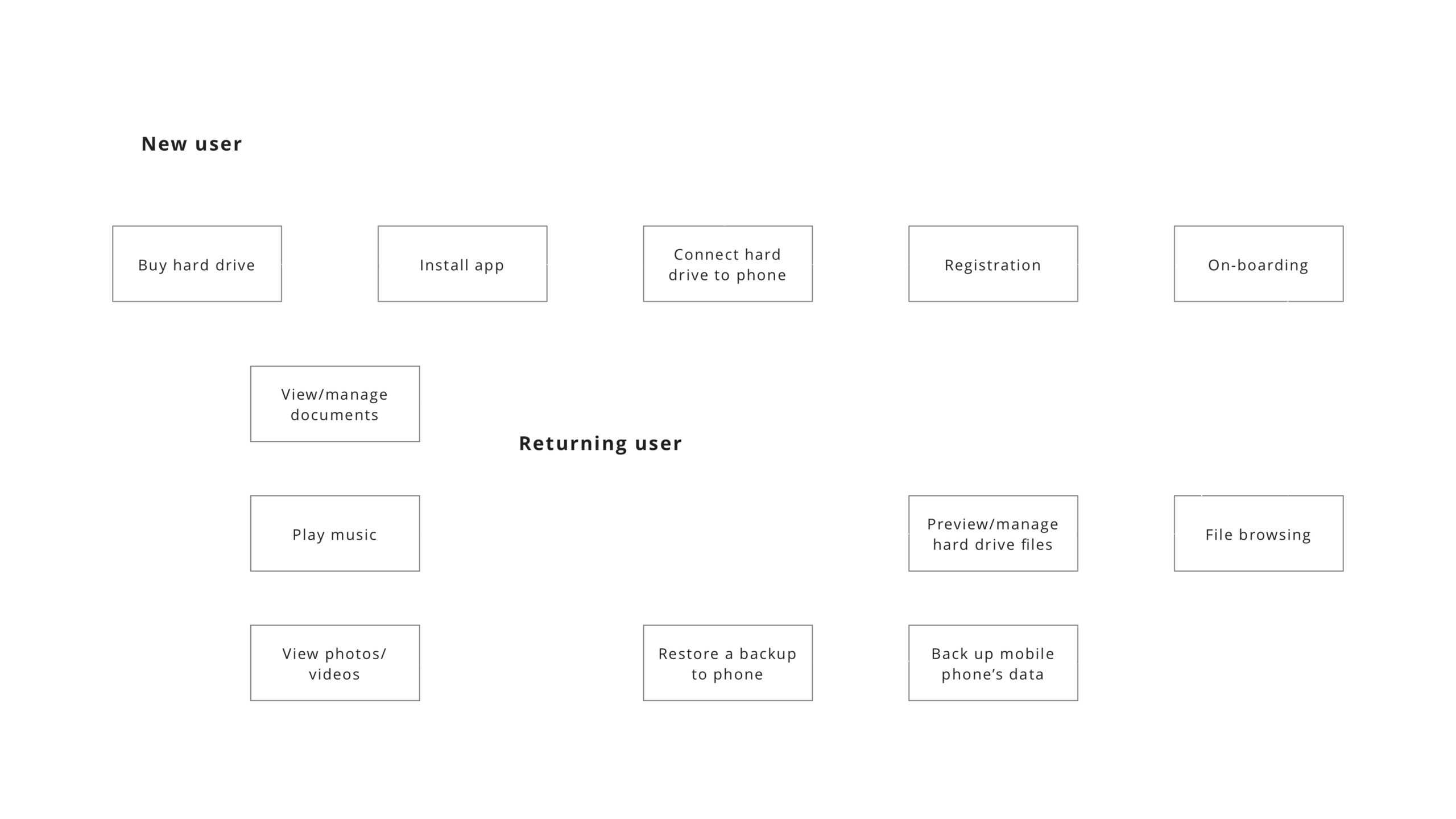
From the user stories, I was able to identify user's thoughts and concerns while performing some common tasks after connecting their hard drives with their smartphones.
USER FLOW
INFORMATION ARCHITECTURE EXPLORATIONS
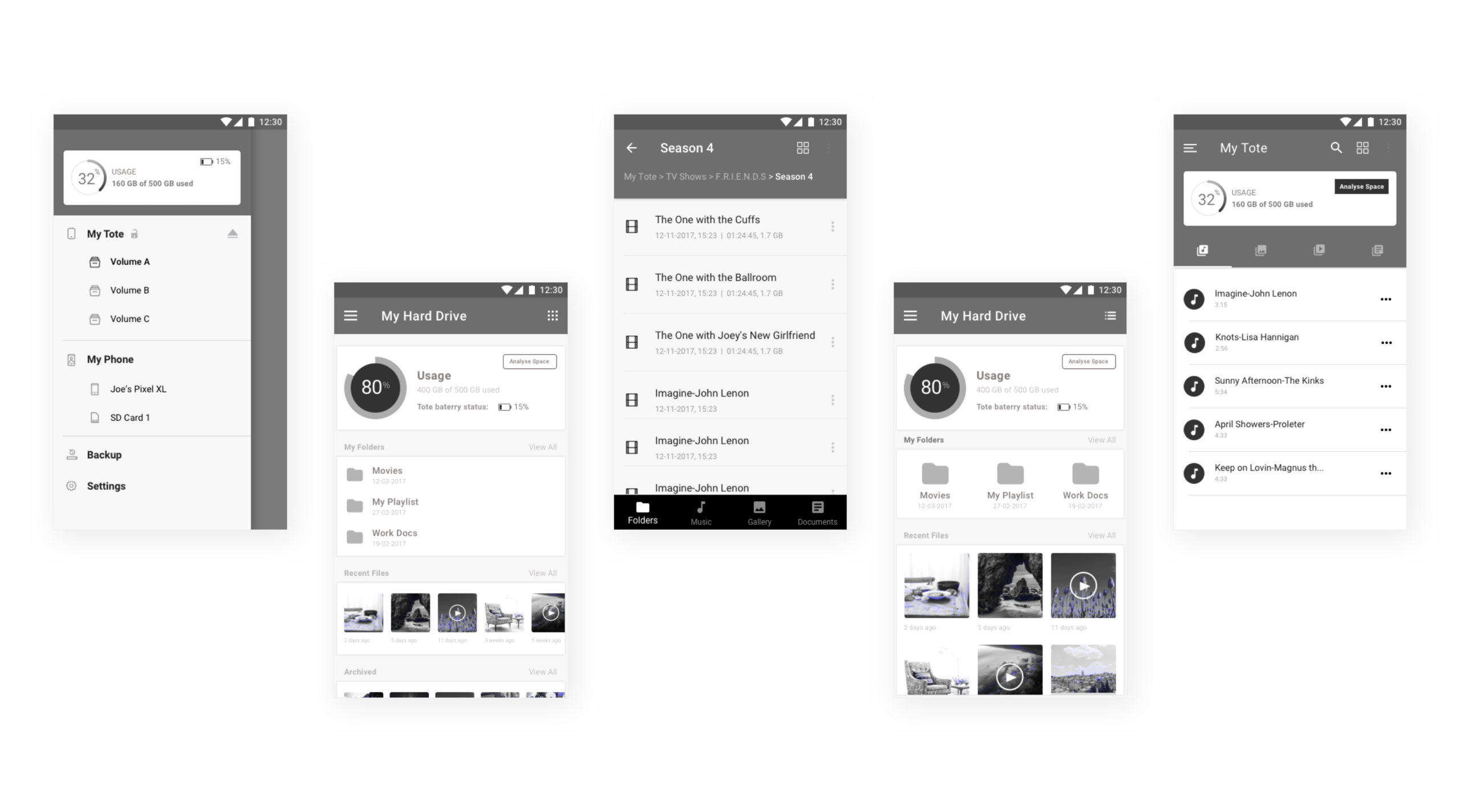
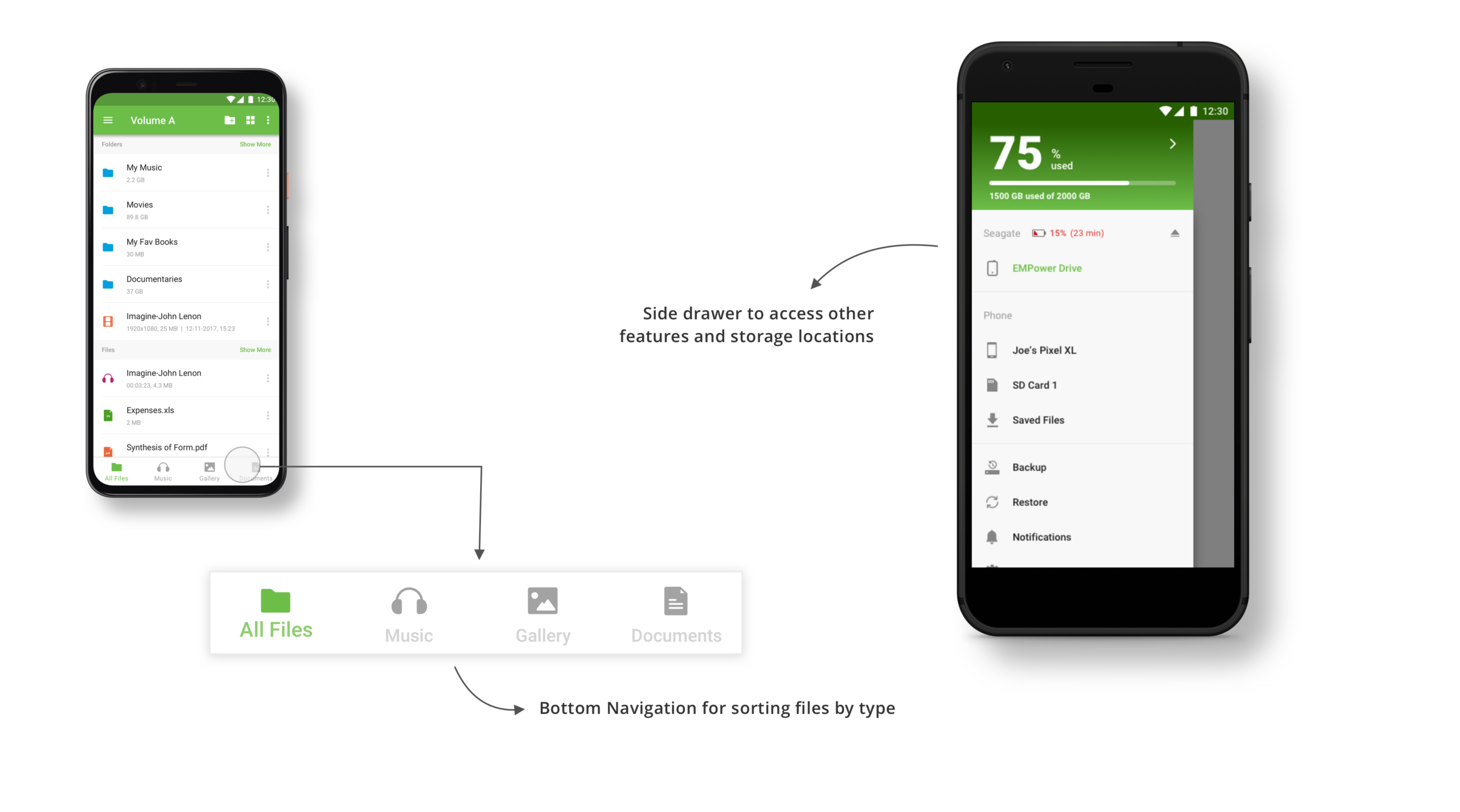
The challenge was to create a navigation system that allows users to easily browse huge amounts of data in the hard drive on smaller devices like phones. In addition to a conventional file tree system, I focused on creating a navigation system that allowed easy segregation of data by file types (photos, music, documents, etc.)
HIGH FIDELITY MOCKUPS
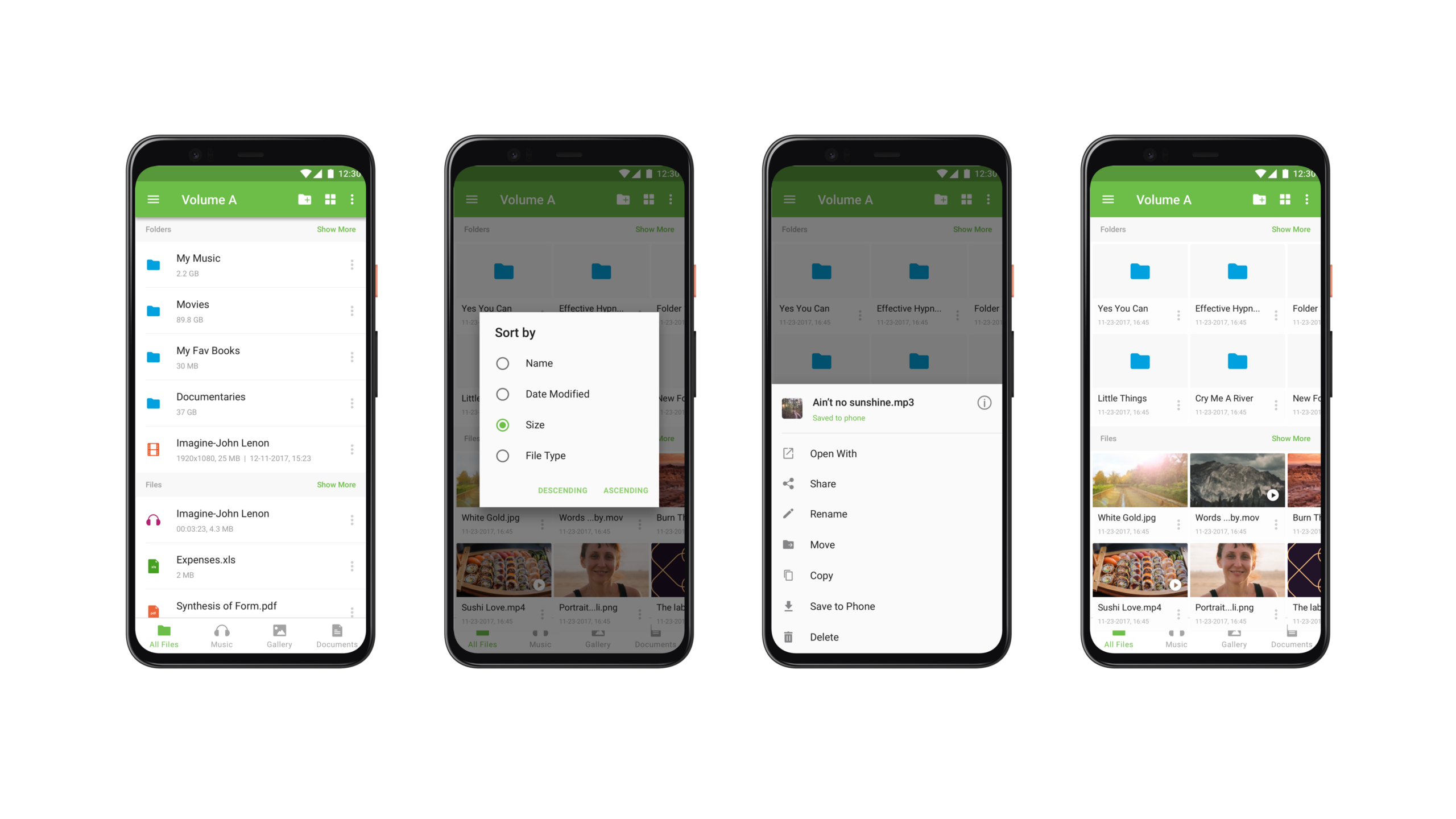
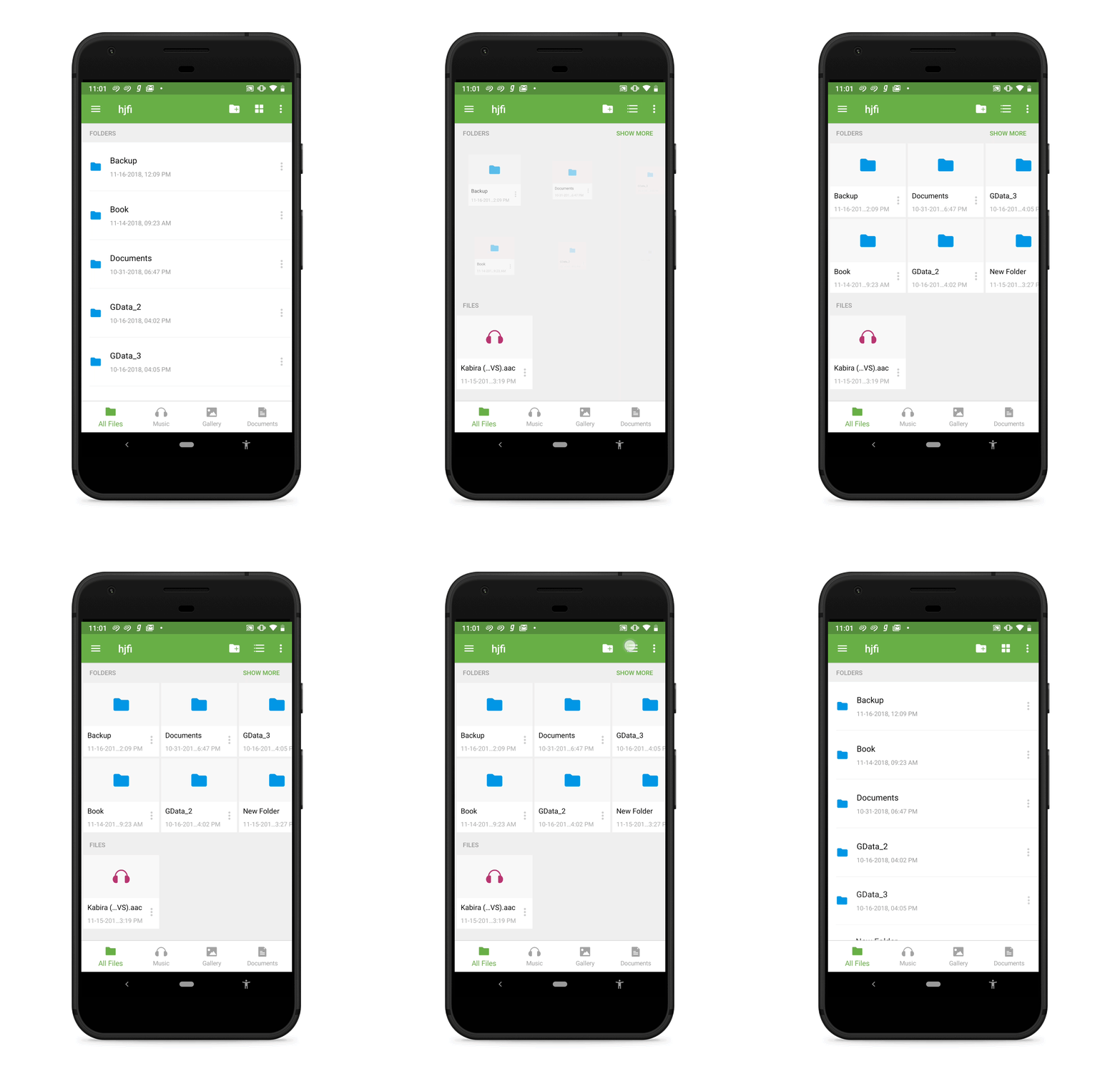
Switching from list view to grid view
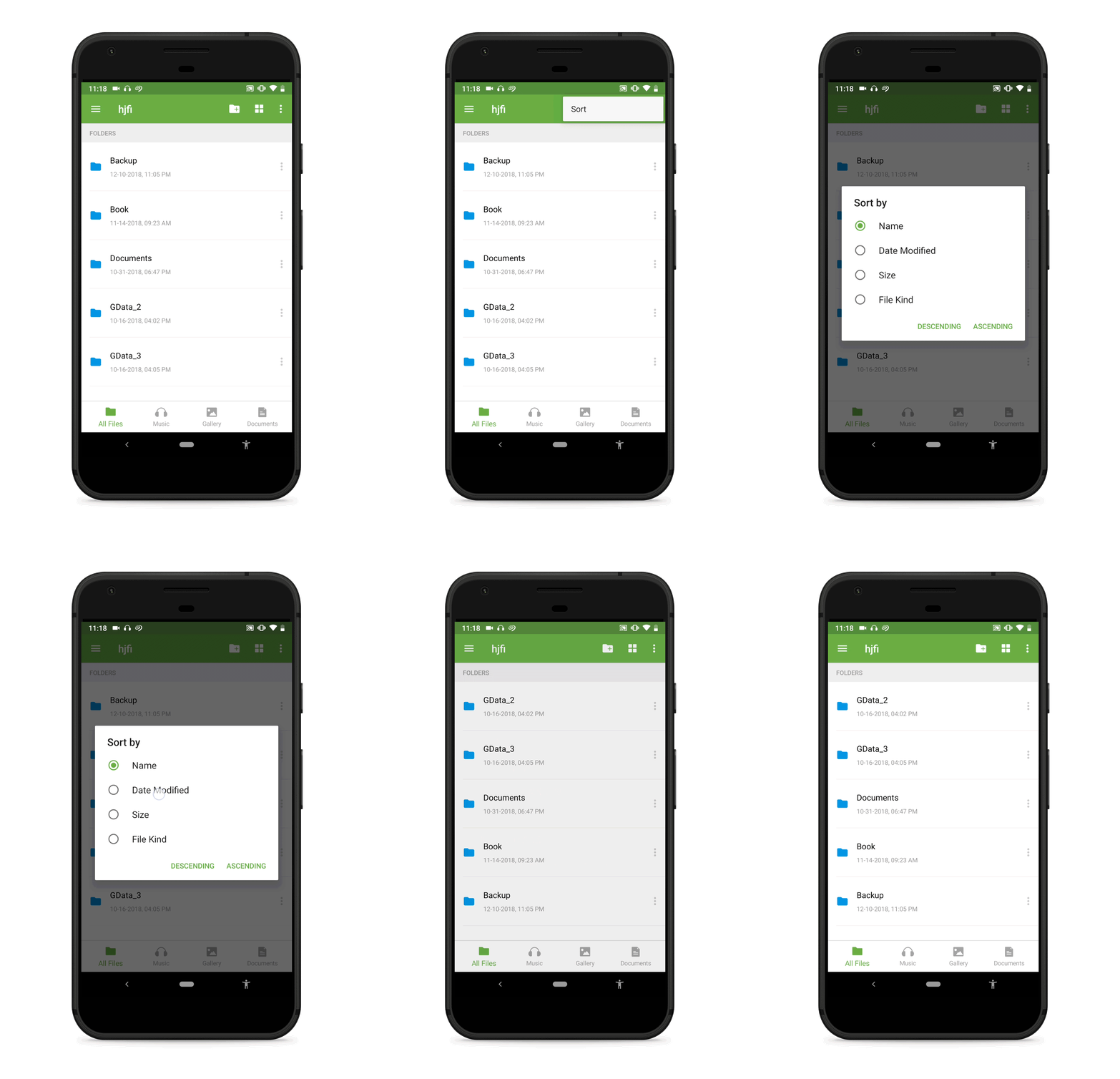
Sorting options
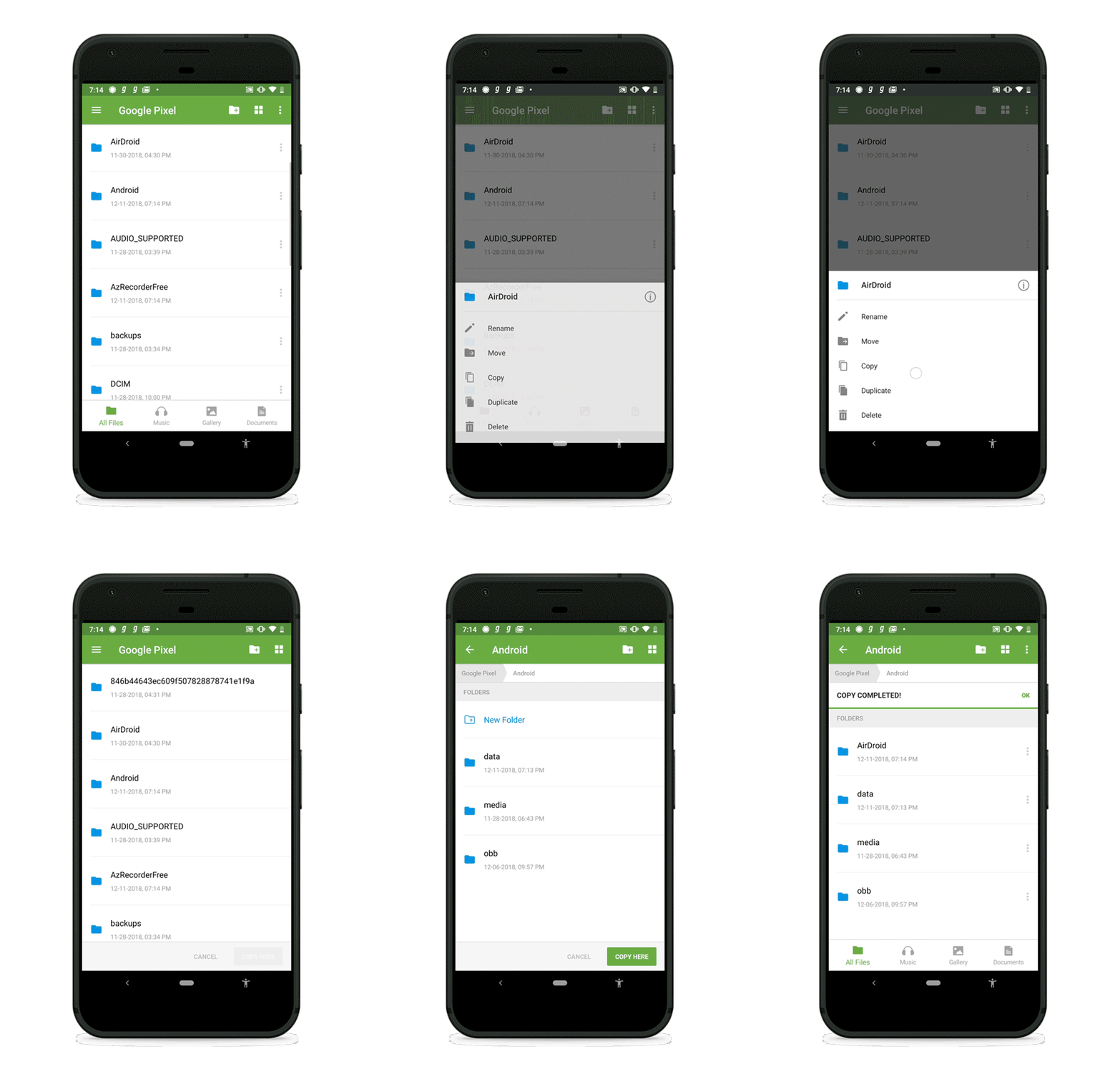
Sorting options
SIGNUP
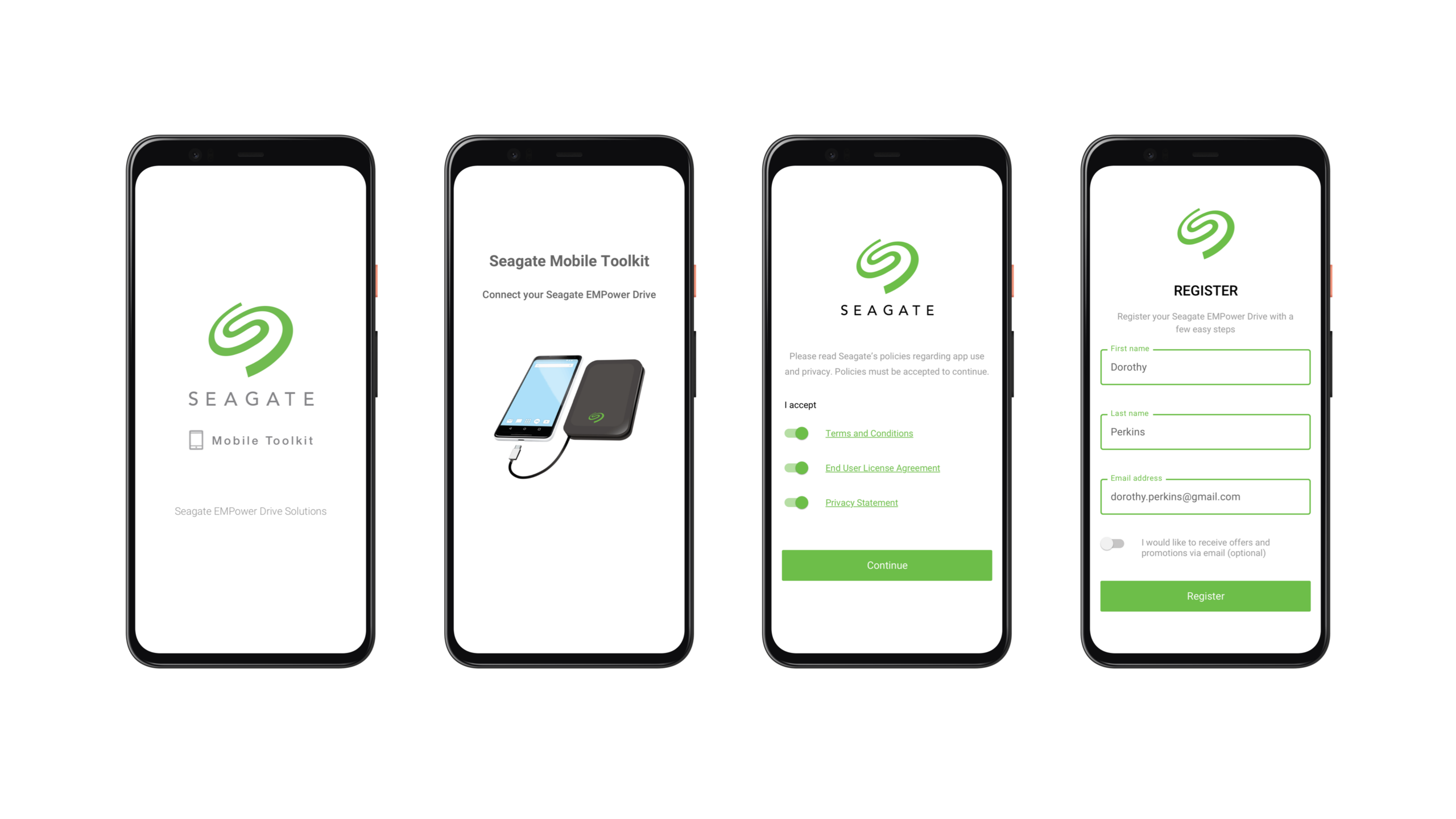
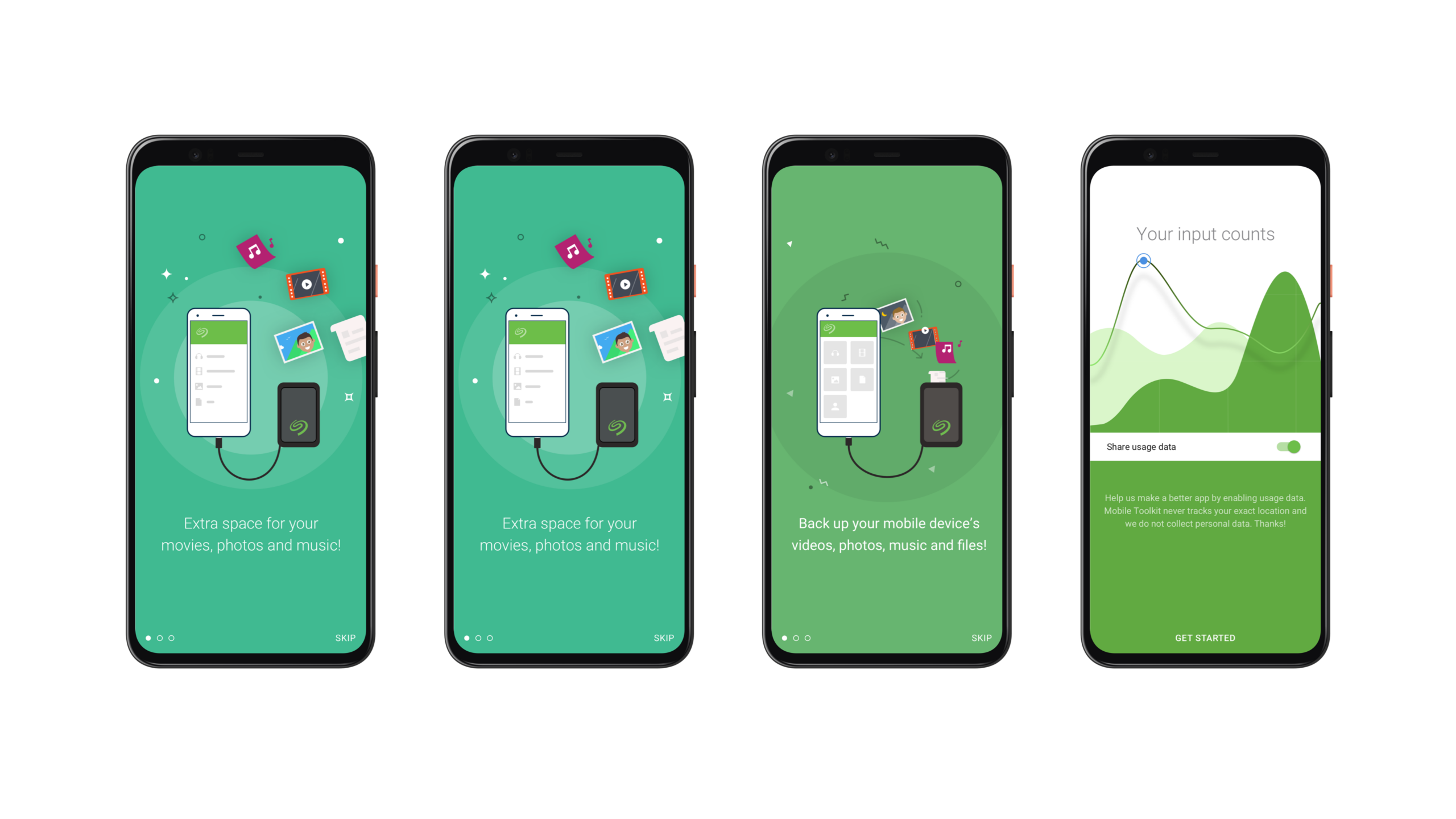
ONBOARDING
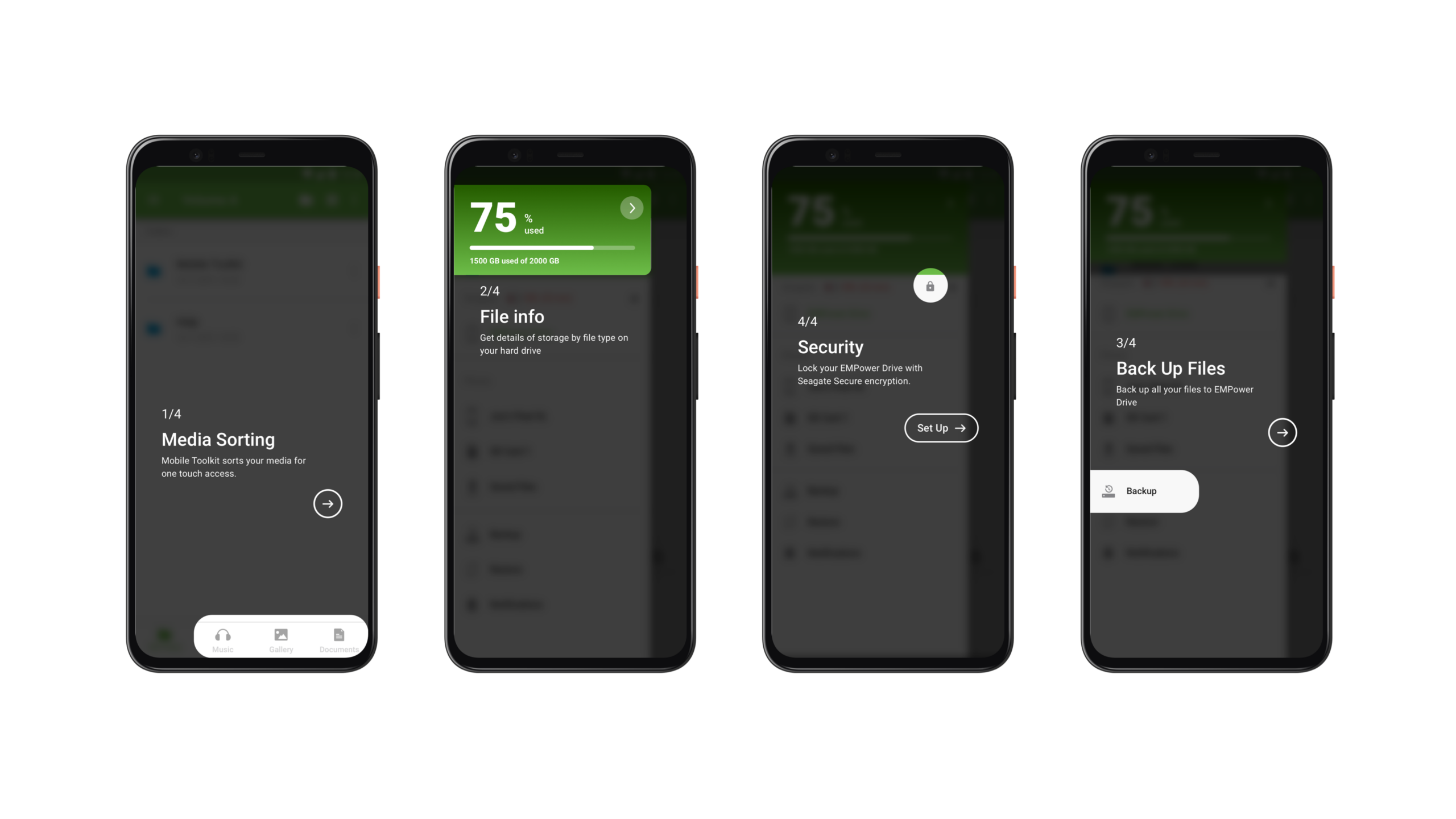
FEATURE INTRODUCTION
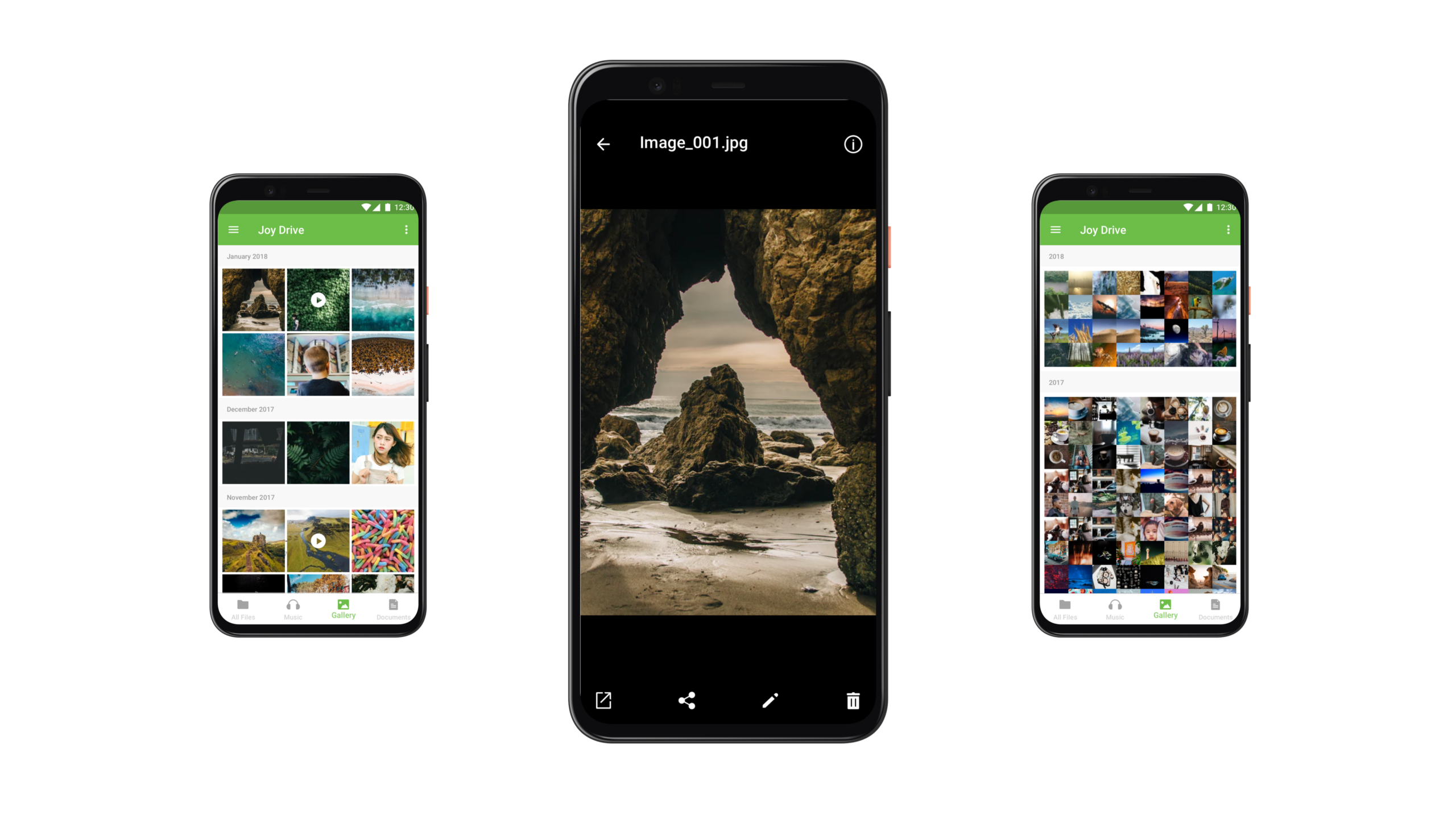
GALLERY
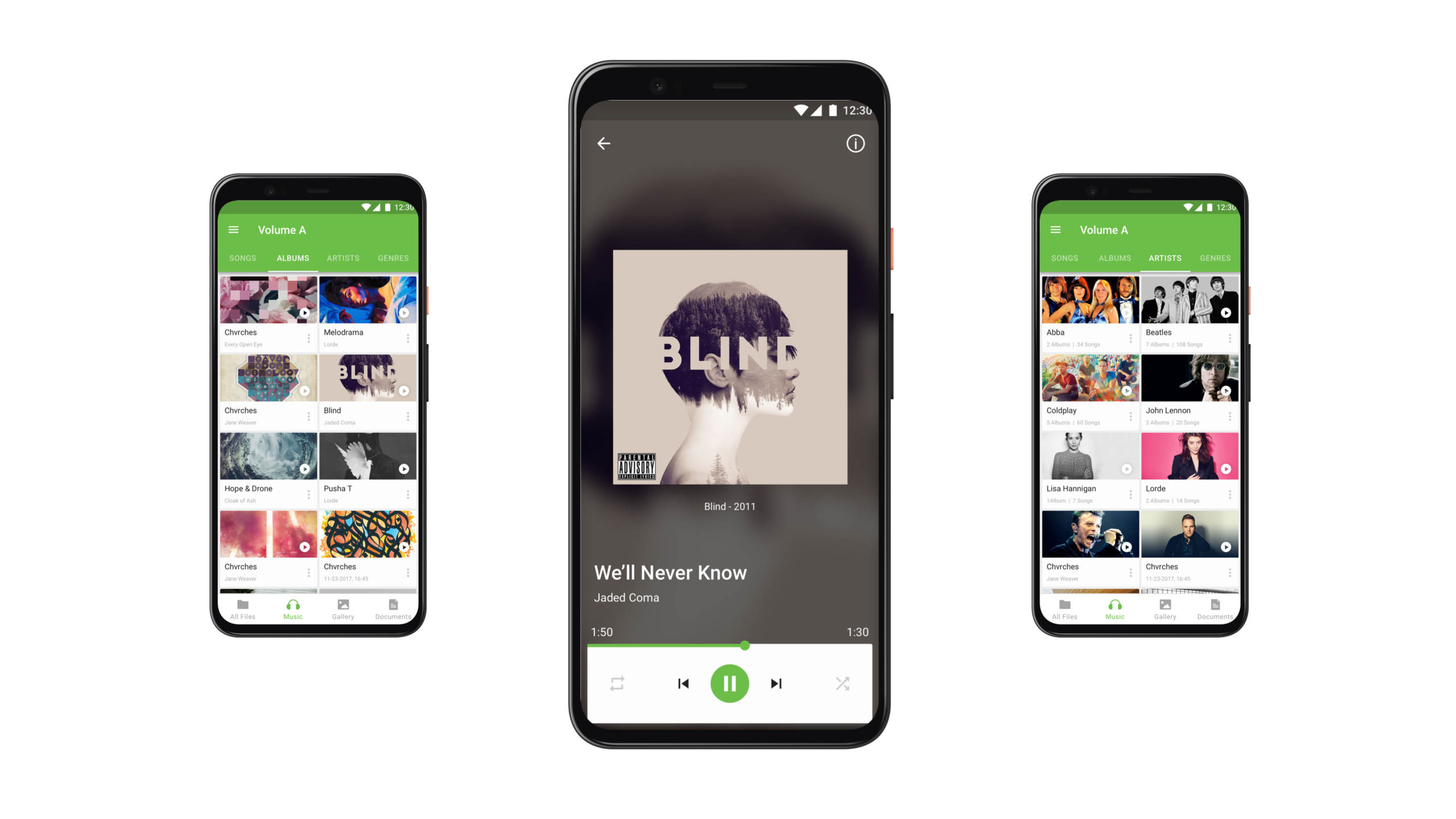
MUSIC
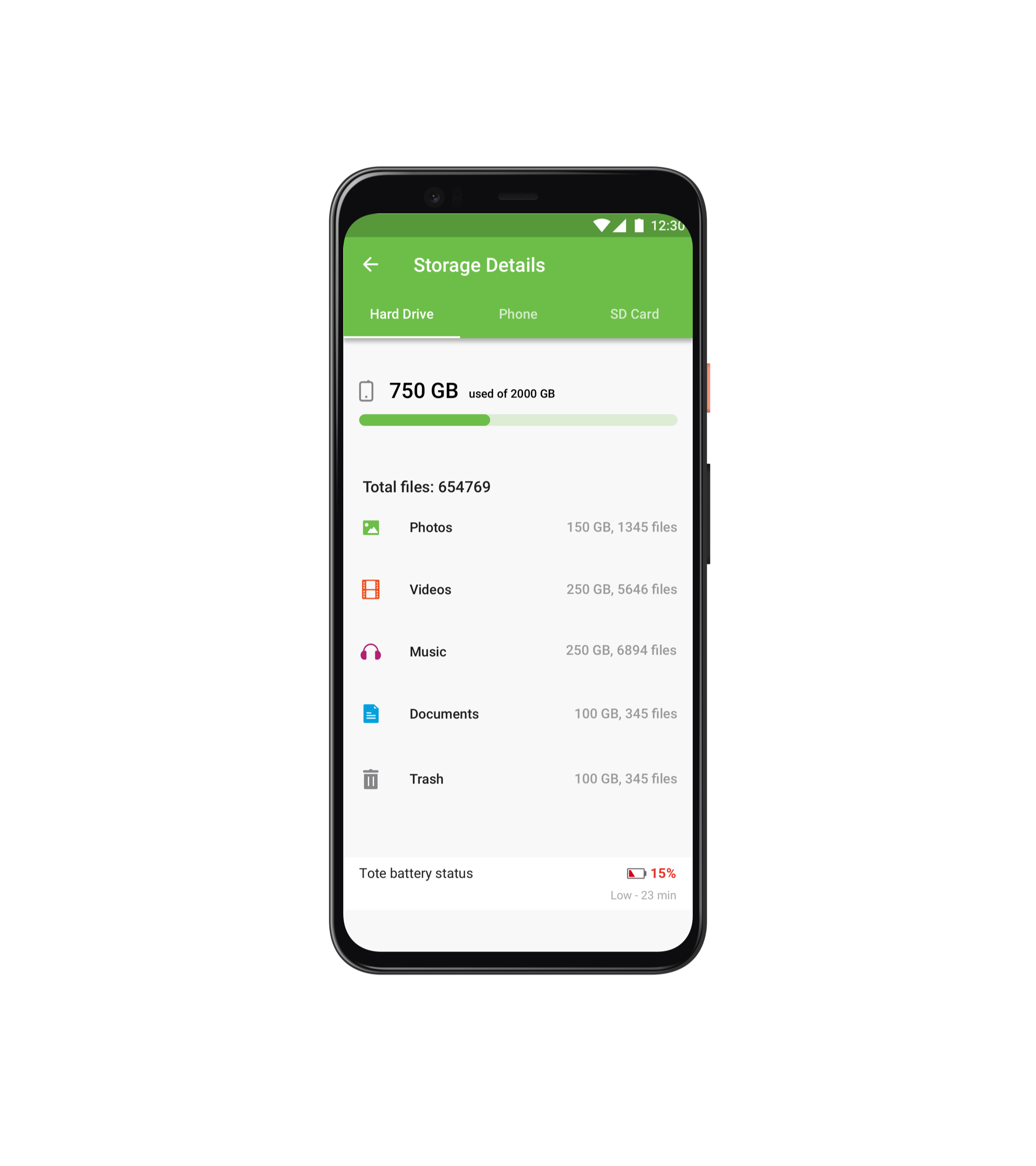
SPACE MANAGEMENT
Users can view a detailed breakdown of space used on the hard drive by each file category along with the file count.
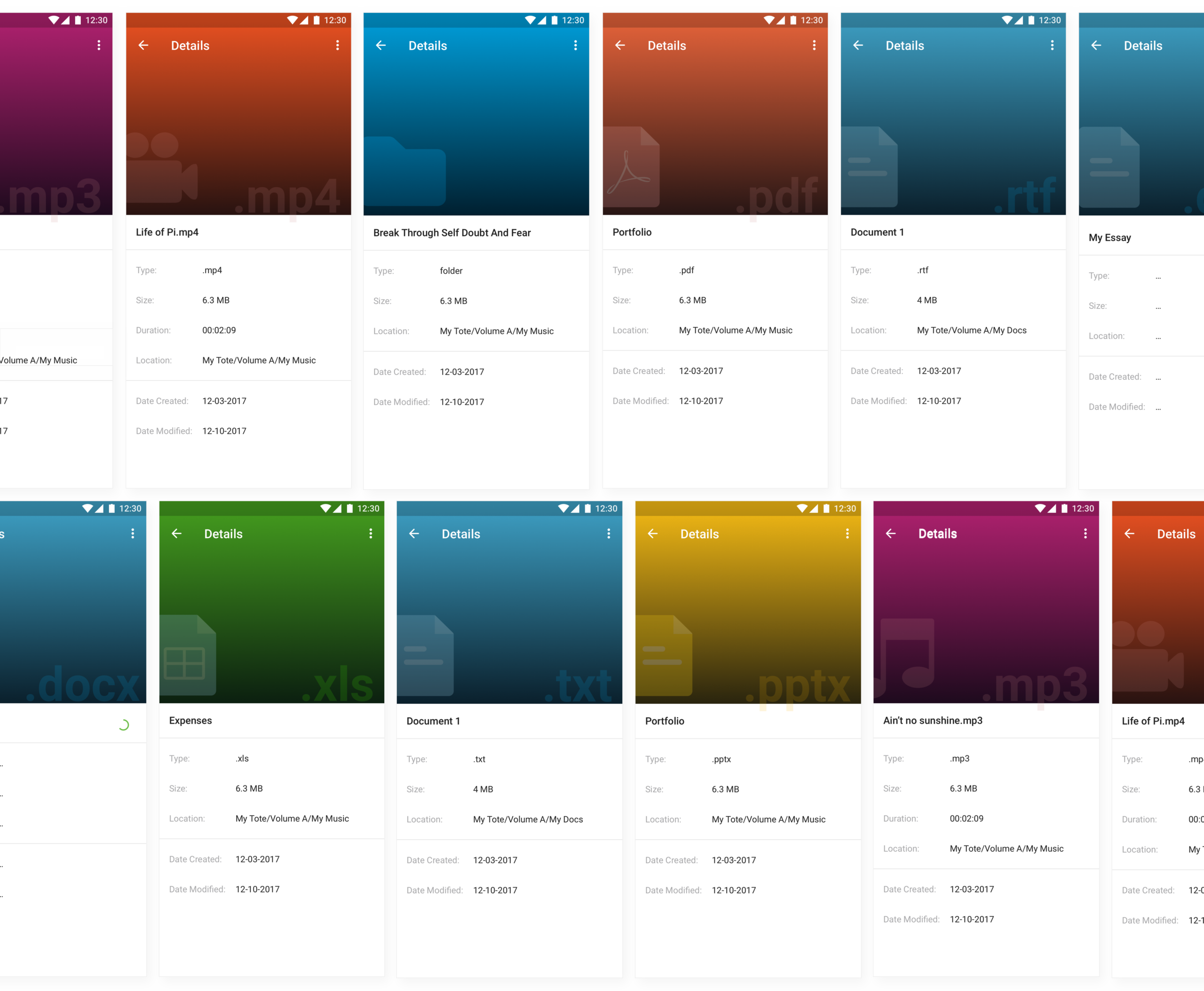
FILE INFO
FEEDBACK FROM USABILITY TESTING
After the app was launched on the Playstore, I received feedback through user reviews as well as quality assurance teams at Seagate. I used this feedback to identify pain points UX improvements.
PAIN POINT 1
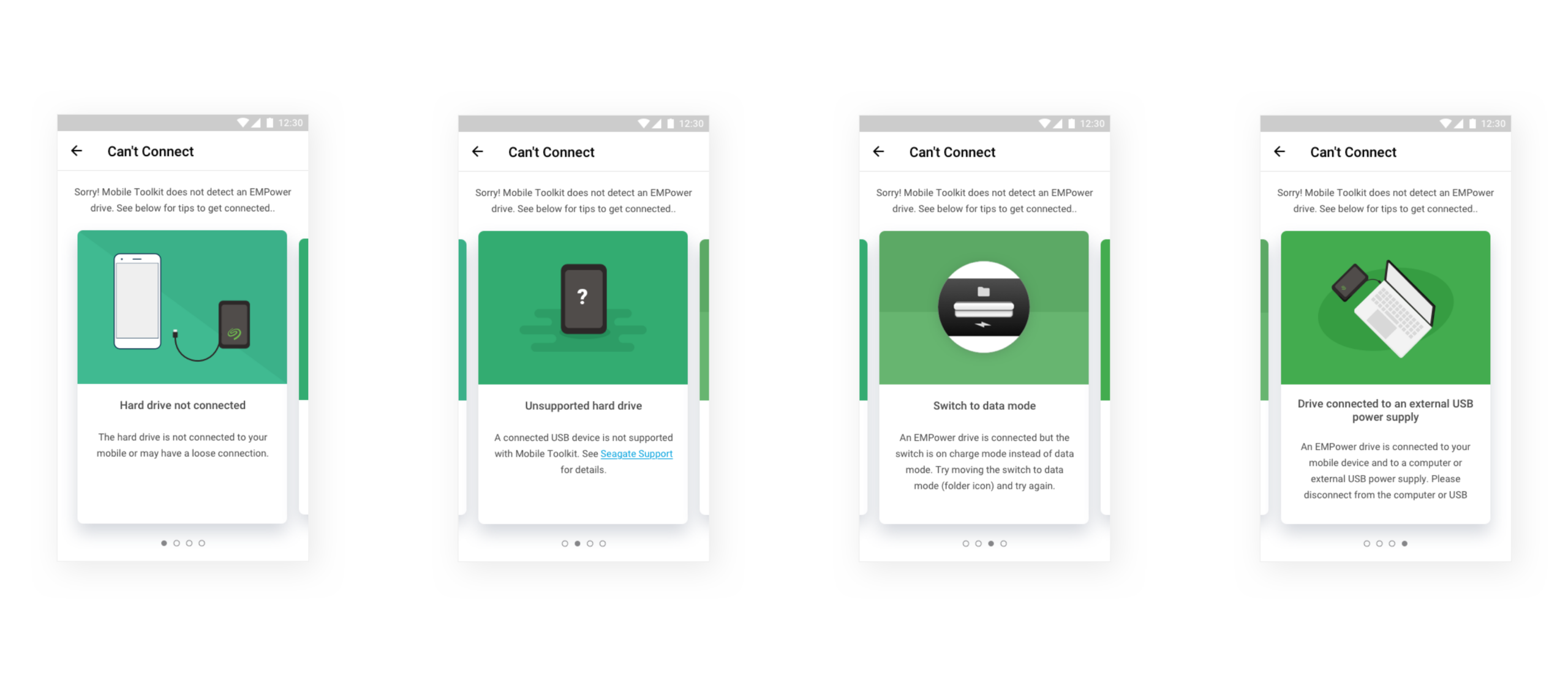
Unclear instructions while connecting hard drive - Many users misunderstood the app’s abilities and assumed that they could connect any Seagate hard drive to the phone and use this app. There were also many other potential reasons due to which the app couldn’t detect the hard drive.
Solution - Introducing a troubleshooting guide to help users identify why their hard drive isn't connecting
PAIN POINT 2
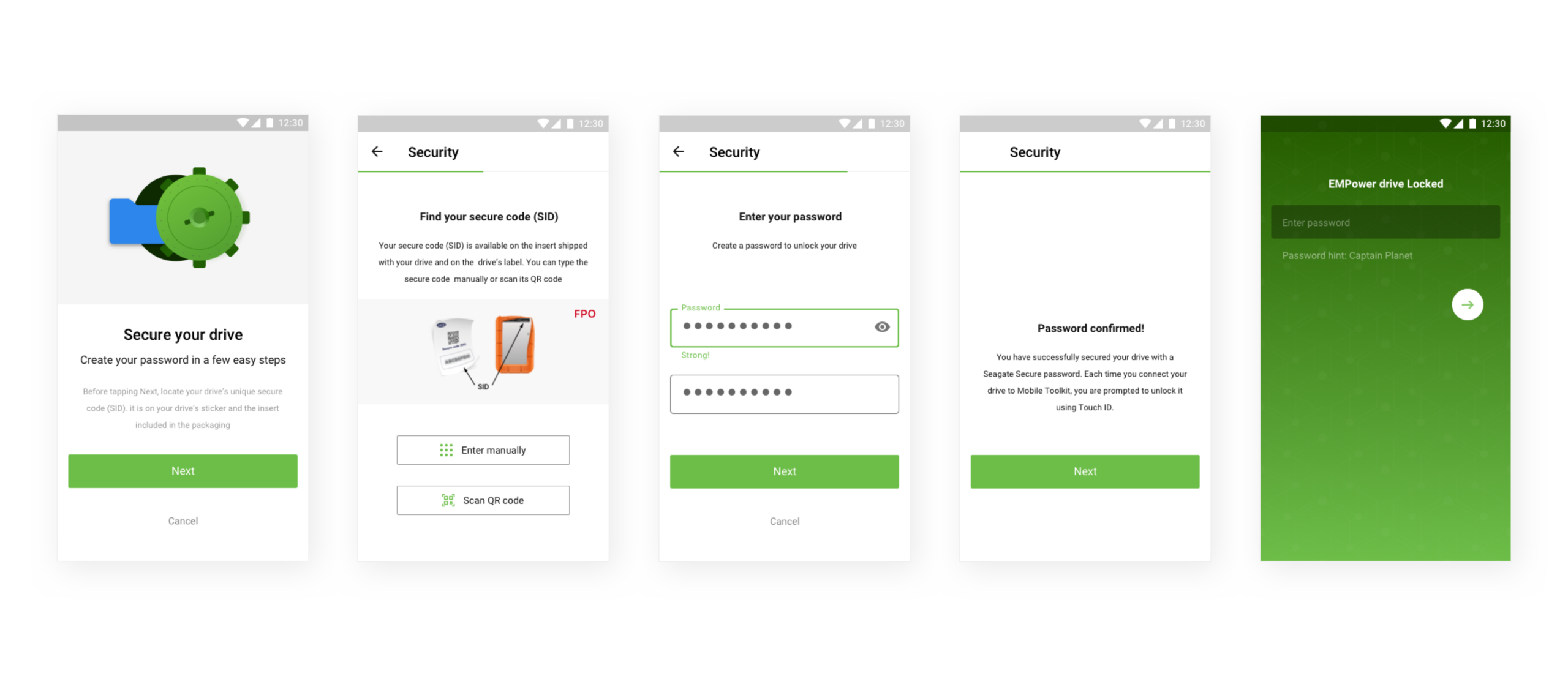
Security concerns - Seagate's desktop application included a password protection feature that wasn't available in the mobile application. This made the experience feel inconsistent across devices.
Solution - Designing a password protection feature that would enable users to protect their data and make the experience consistent with the desktop application.
PAIN POINT 3
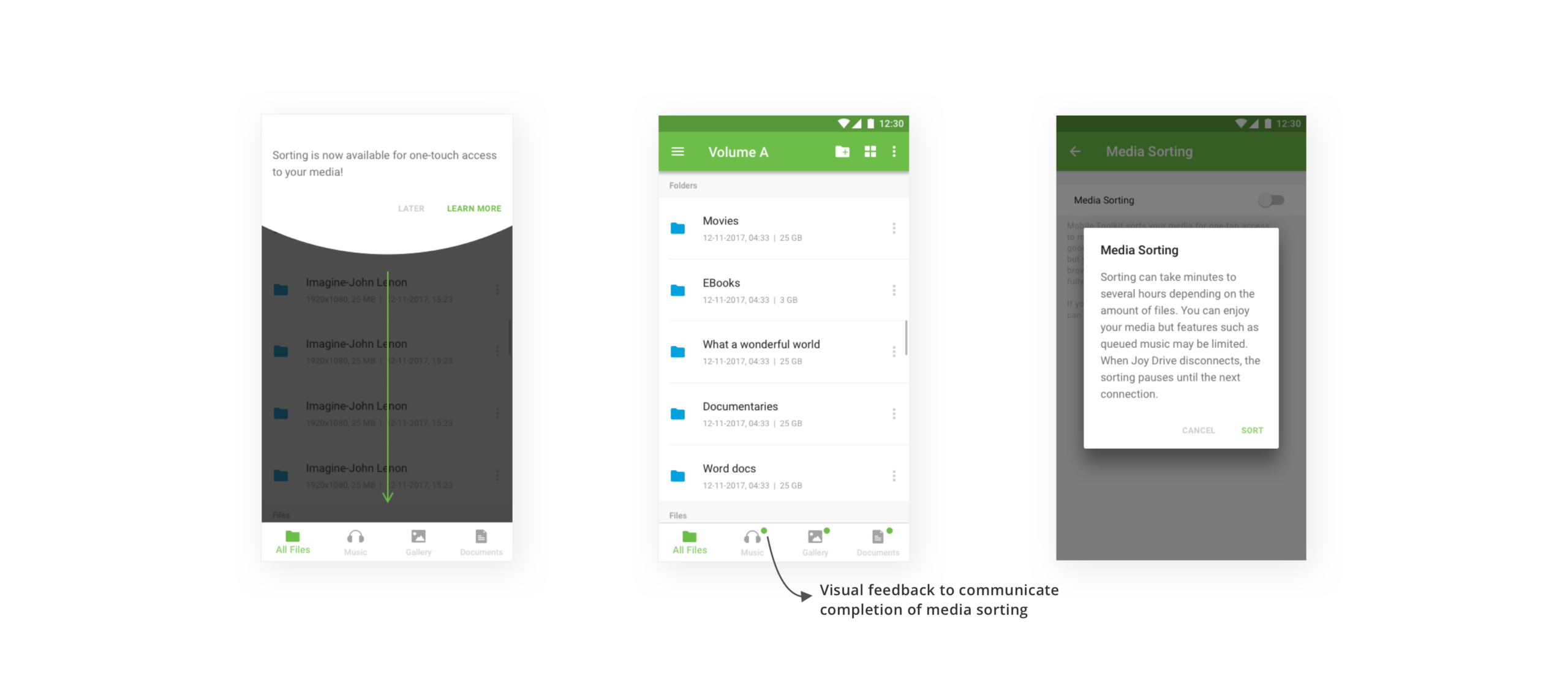
Content aggregation took too long - The bucketing of files into music, gallery, and documents sections took too long in scenarios where the hard drive had large amounts of data and the phone in use was an older model. This caused frustration as the category tabs looked empty for long time periods.
Solution - Introducing a feature called media sorting that would educate users about how their files are being bucketed and gave them control over the decision-making of bucketing their files.
PAIN POINT 4
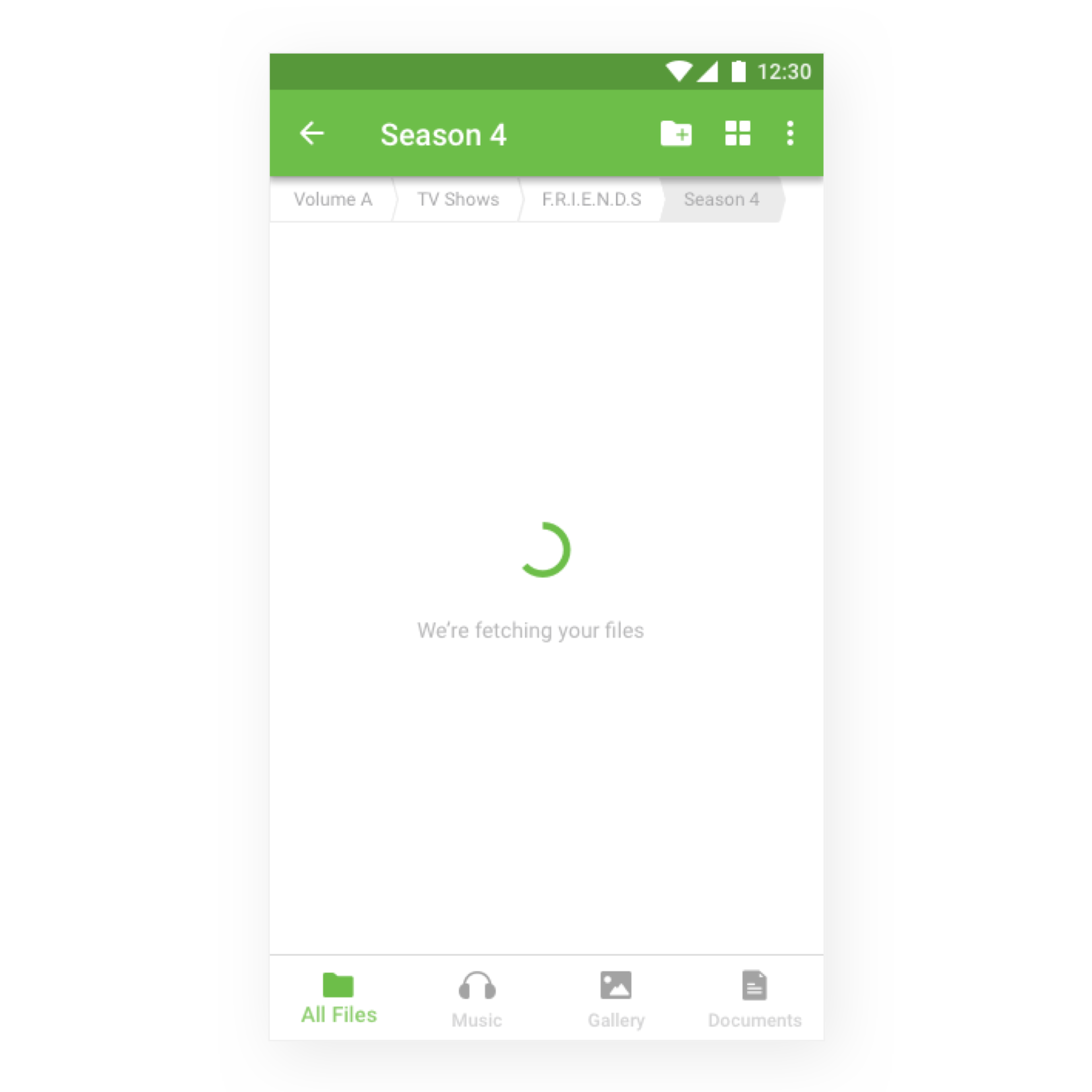
Large files took too long to load - In most scenarios, larger files or directories with many files took time to display on the screen as the phone took longer to process them. This made the experience feel broken as the users would see an empty screen without knowing what's happening.
Solution - Introducing loading indicators with appropriate feedback to inform users that the app is working on fetching the data and it will be displayed on the screen soon.
LEARNINGS
This project gave me exposure to various opportunities apart from design. Since I was leading the design efforts at Mutual Mobile, my role demanded me to communicate with the clients, work with cross-functional teams and create designs with an awareness of technical constraints and project timelines. I learned how to work in an Agile methodology with my team of developers and project managers. I also gained a clearer understanding of leveraging usability testing and user reviews to enhance the user experience of a product. This project helped me become a detail-oriented designer as I learned during the process that every tiny detail of a product needs to have a thoughtfully crafted user experience.
Anuprita Ranade